Adjust warmth separately from brightness
Choose neutral white, amber or pure red, then set brightness independently. If a warmer screen still looks too bright, you can lower the displayed image without changing the colour again.
 RedDimmer
 lets you adjust your Mac's software brightness and warmth separately. Dim below your usual screen setting, choose amber or pure red, and keep the controls in your menu bar.
Choose neutral white, amber or pure red, then set brightness independently. If a warmer screen still looks too bright, you can lower the displayed image without changing the colour again.
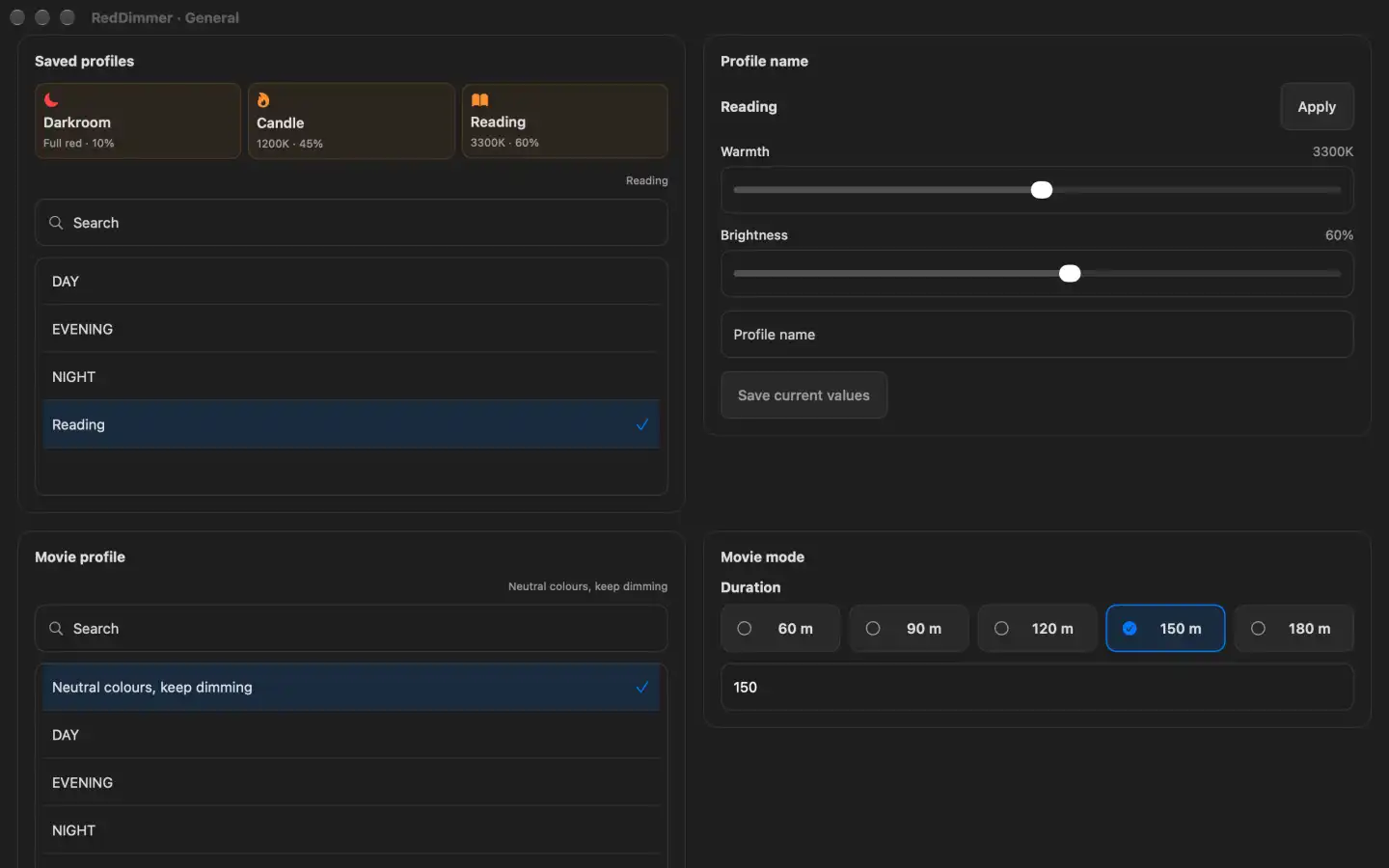
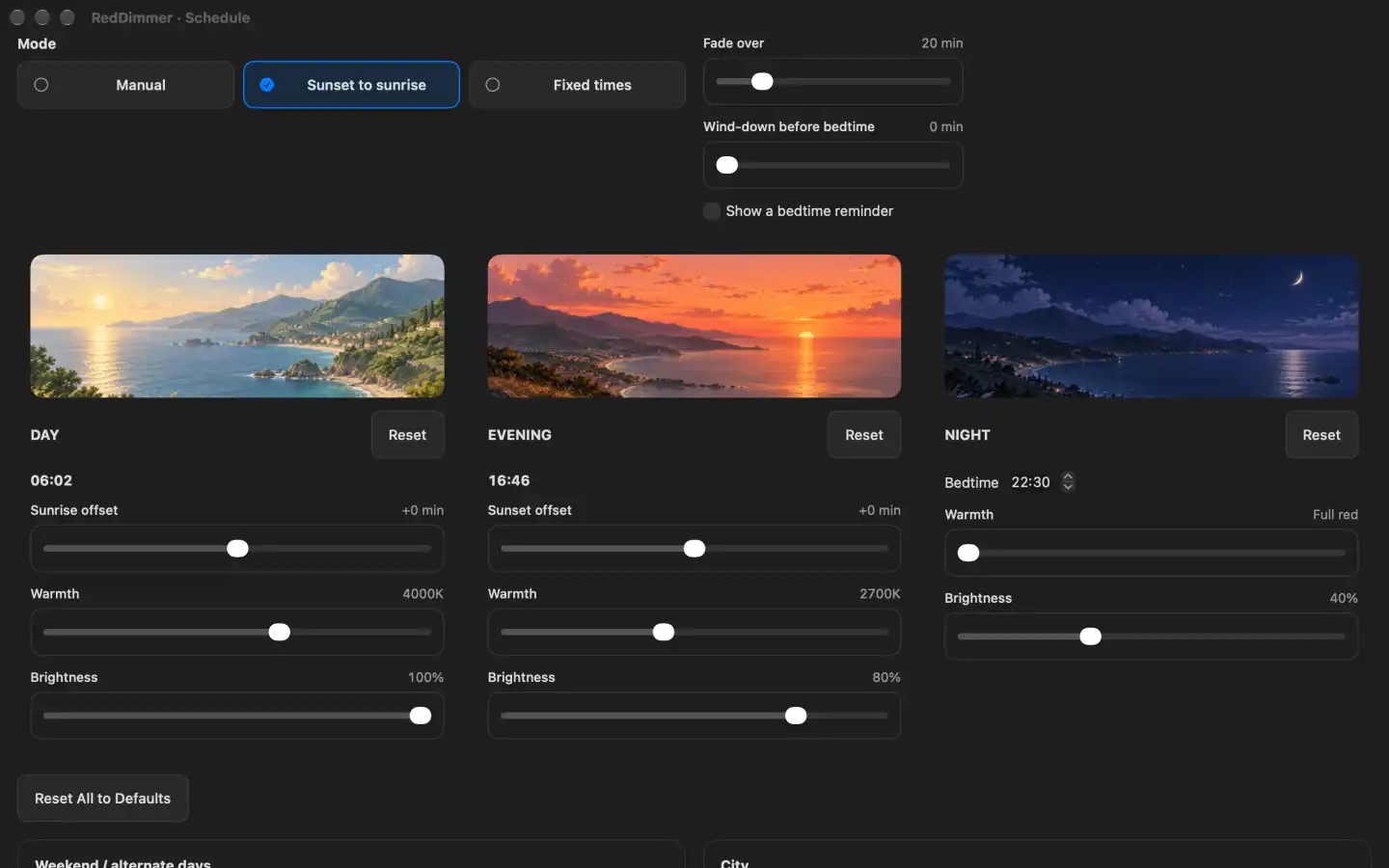
Keep Day, Evening and Night presets, or save your own named profiles for reading and late work. Use sunrise and sunset offsets or alternate-day times to fit your week.
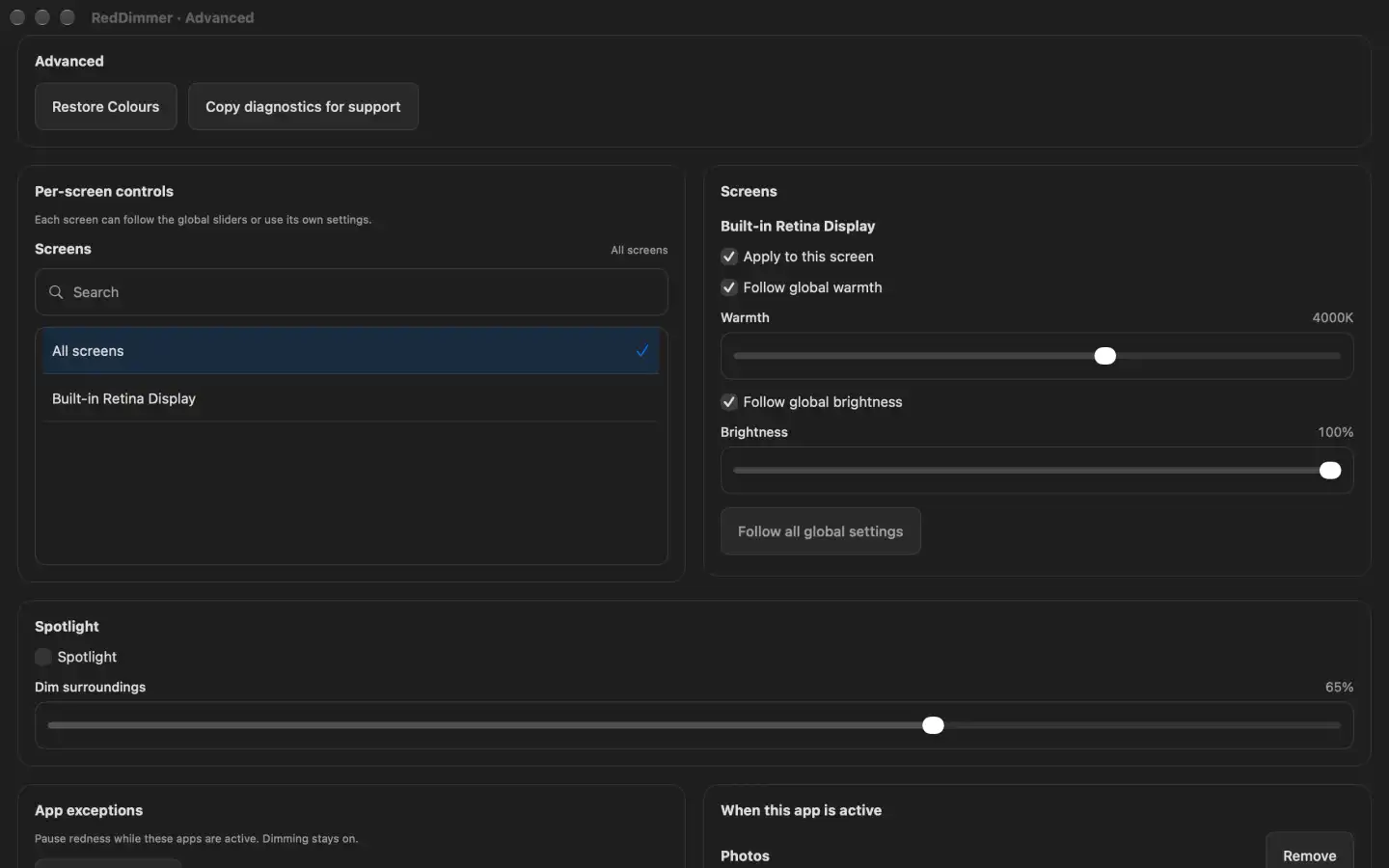
Set displays individually and let selected apps use a saved profile or normal colours. Timed Movie mode makes room for watching, while optional breaks and microbreaks remind you to look away.
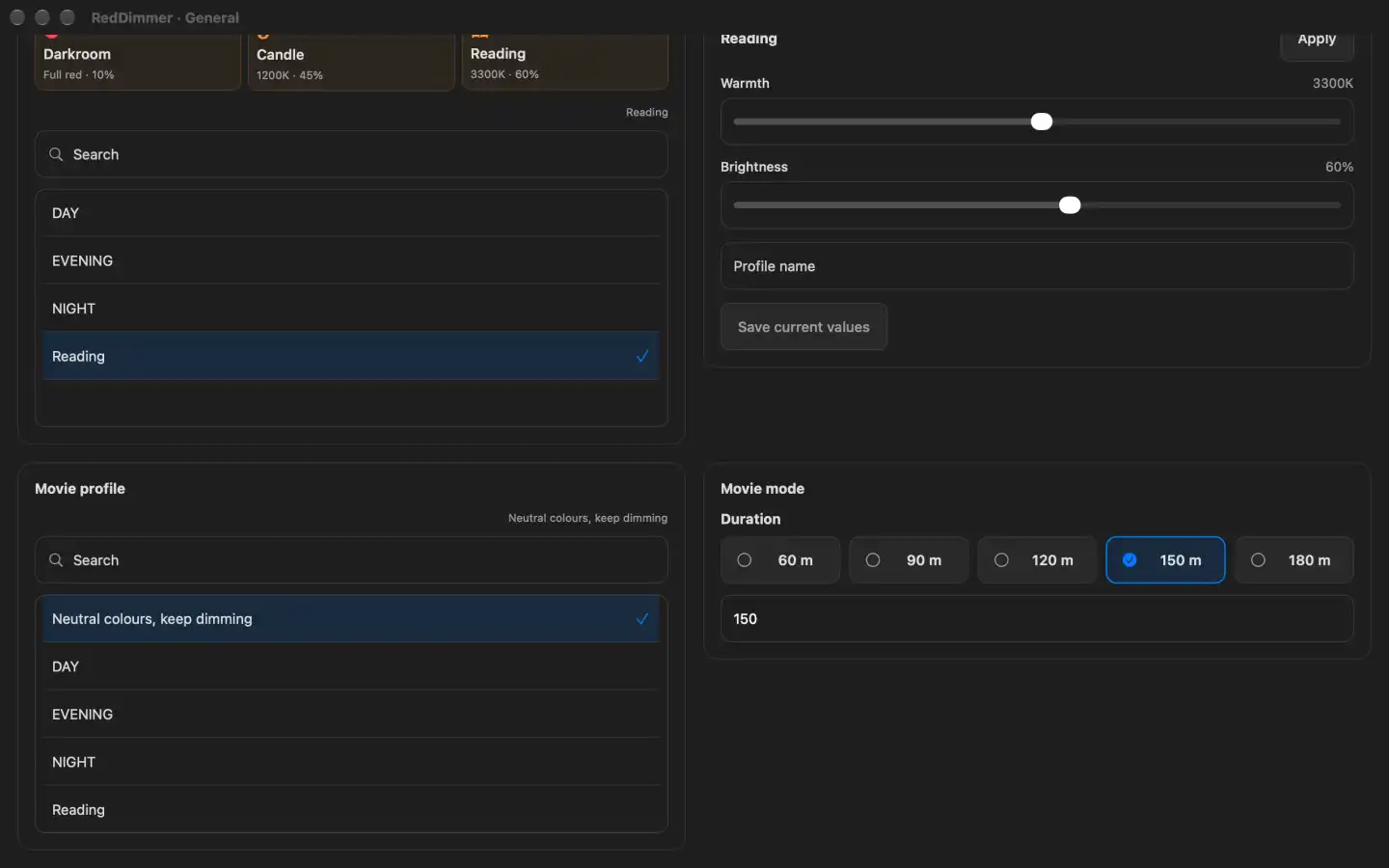
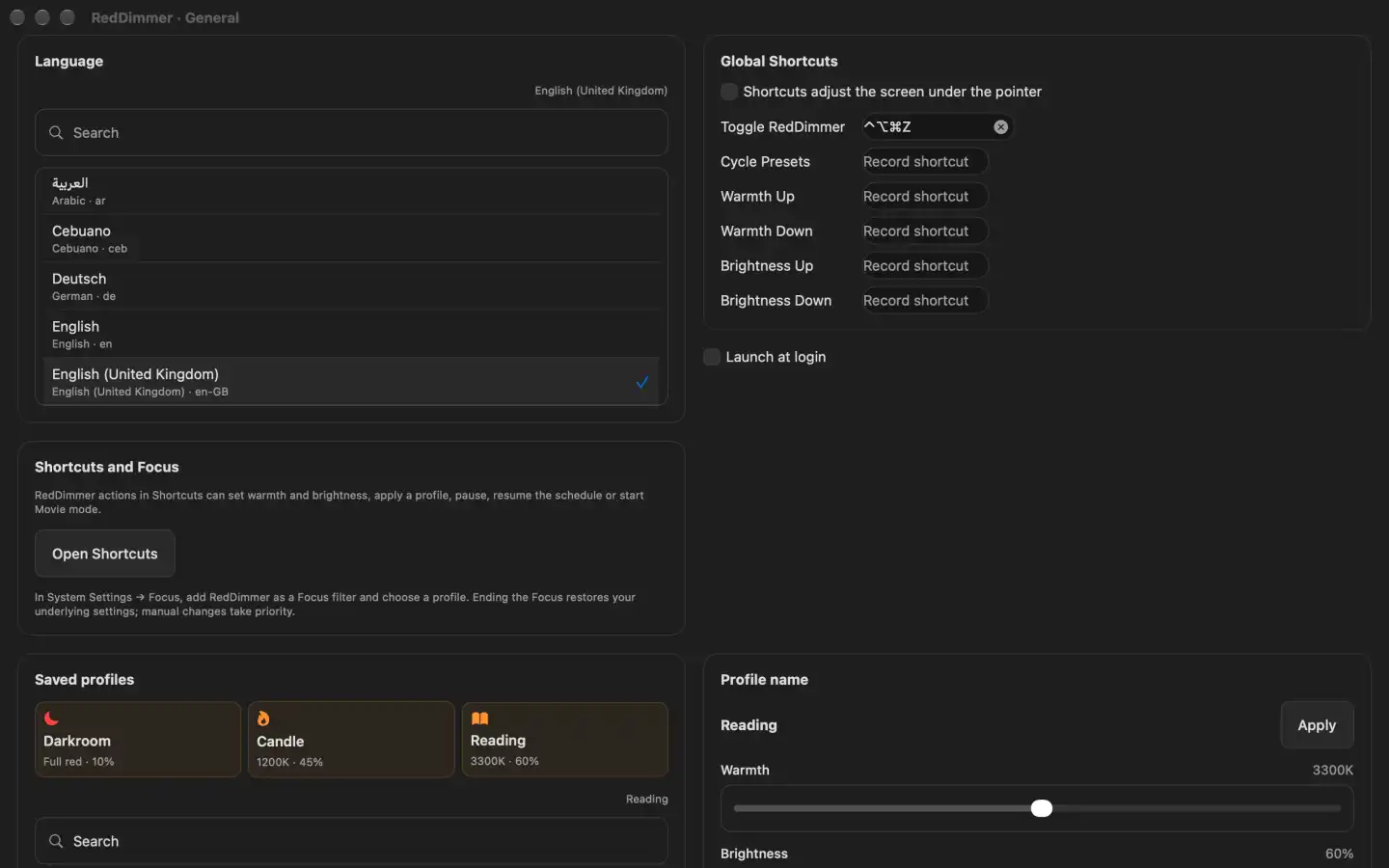
Save named profiles for reading, evening work or a favourite corner of the house. Apply a profile from the menu bar, or let a selected app use its own saved settings.
Start or end Movie mode directly from the menu bar controls and choose its duration beside the button. Keep normal colours or a chosen profile while you watch; Movie mode pauses breaks and returns to your routine when its timer ends.
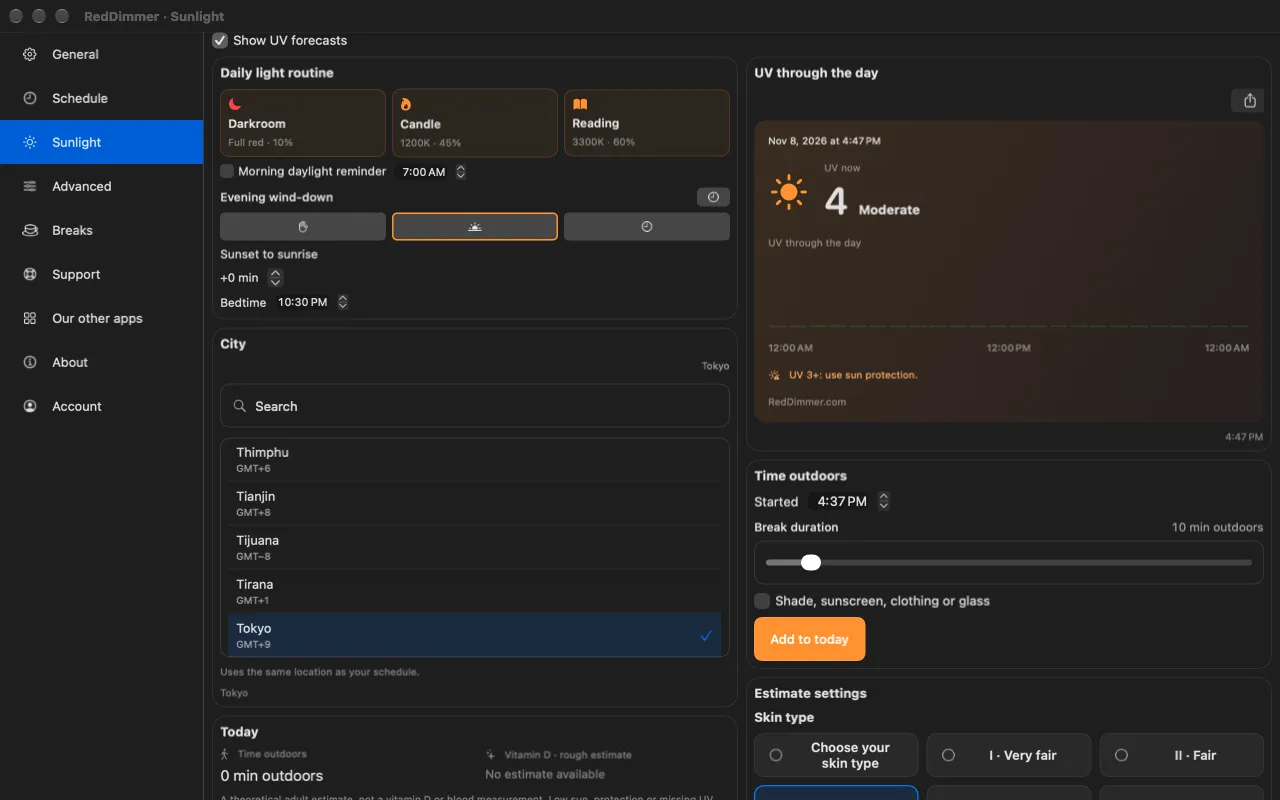
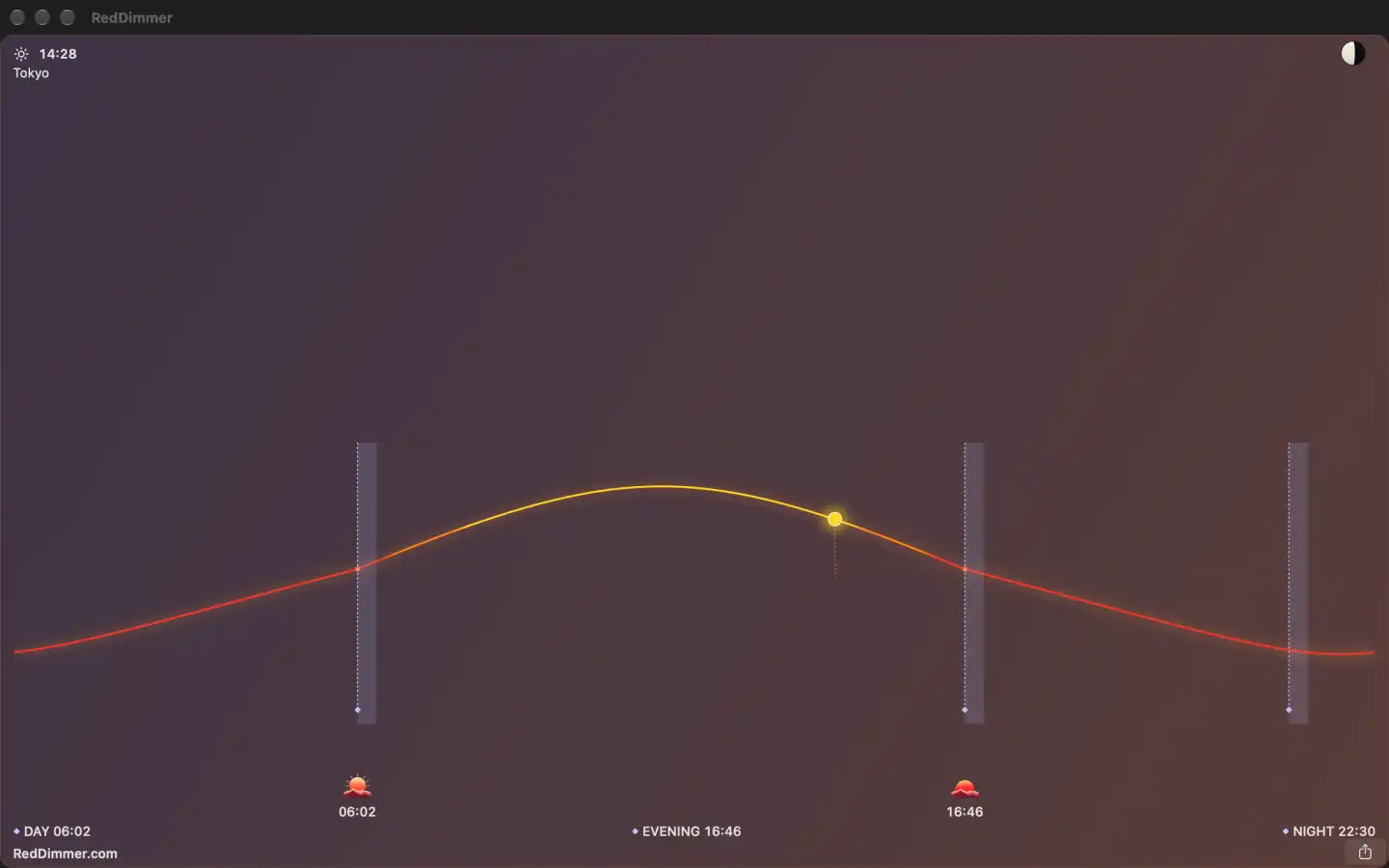
Adjust around sunrise and sunset, choose alternate-day times, and preview the daily warmth and brightness graph. Add an optional morning reminder. Opt in to sunlight information for MET Norway UV forecasts at your selected location and a local outdoor-time log. Share solar and schedule charts, preset recipes and UV cards. Optional local AI access can read settings or change supported controls with your permission.
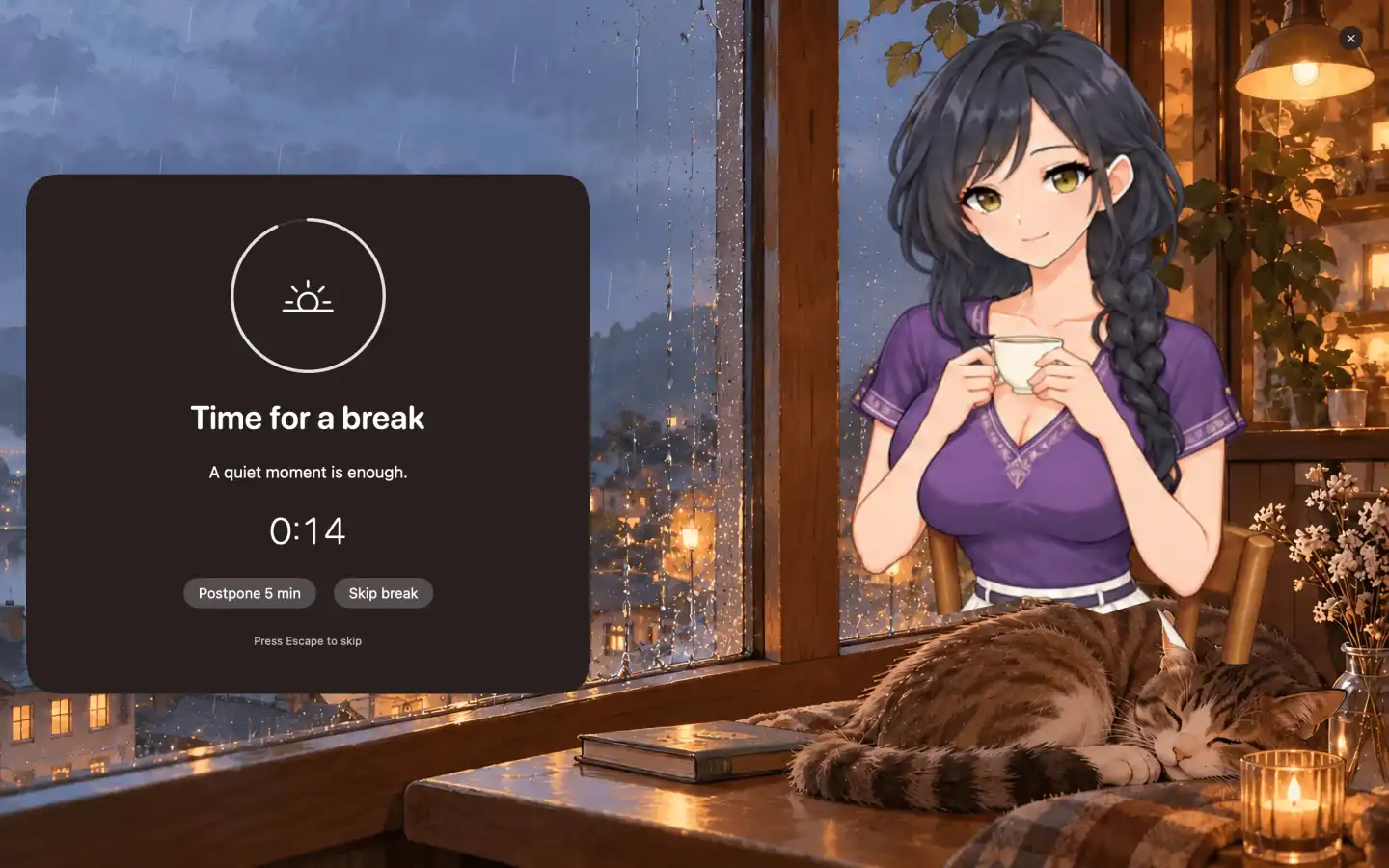
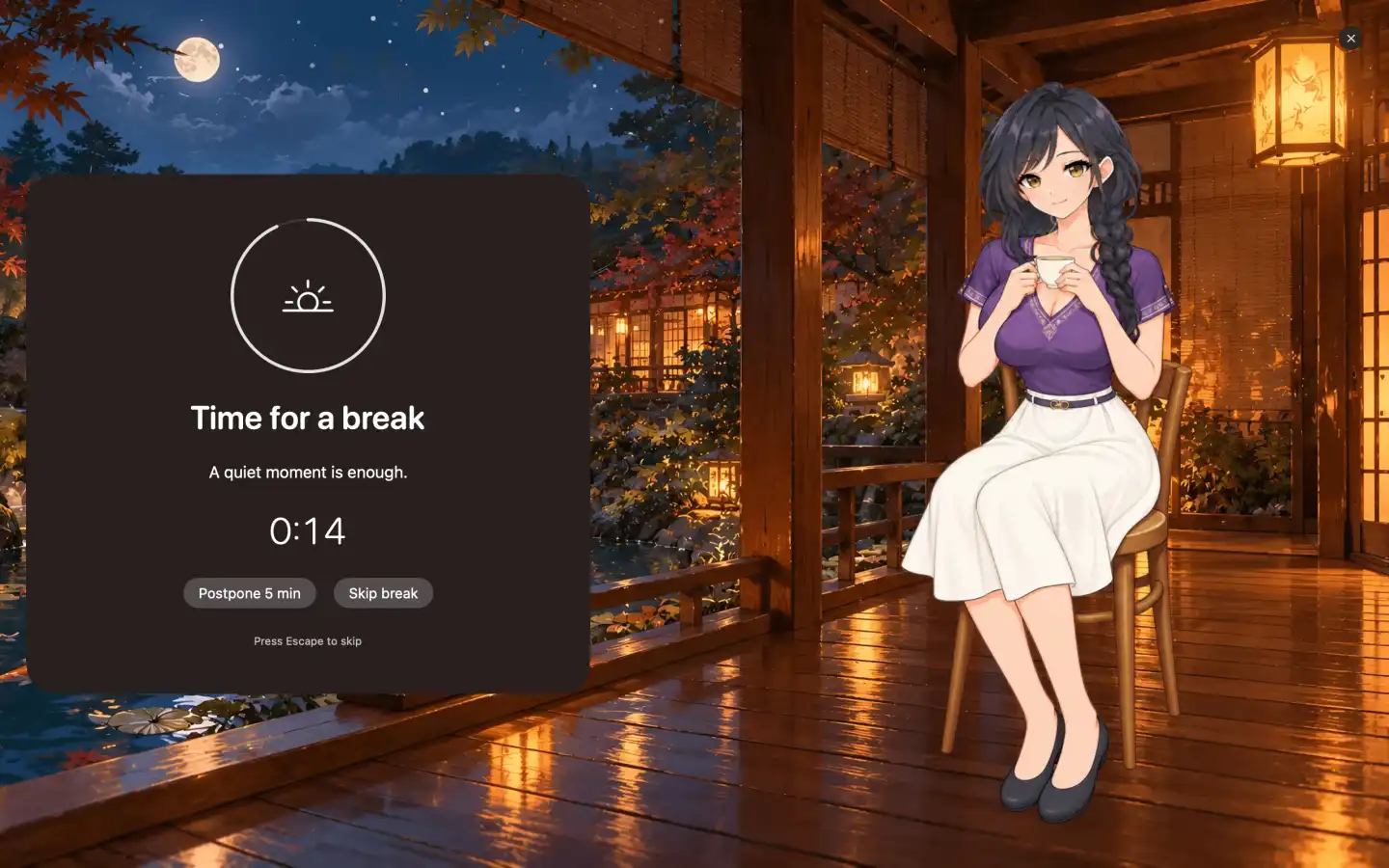
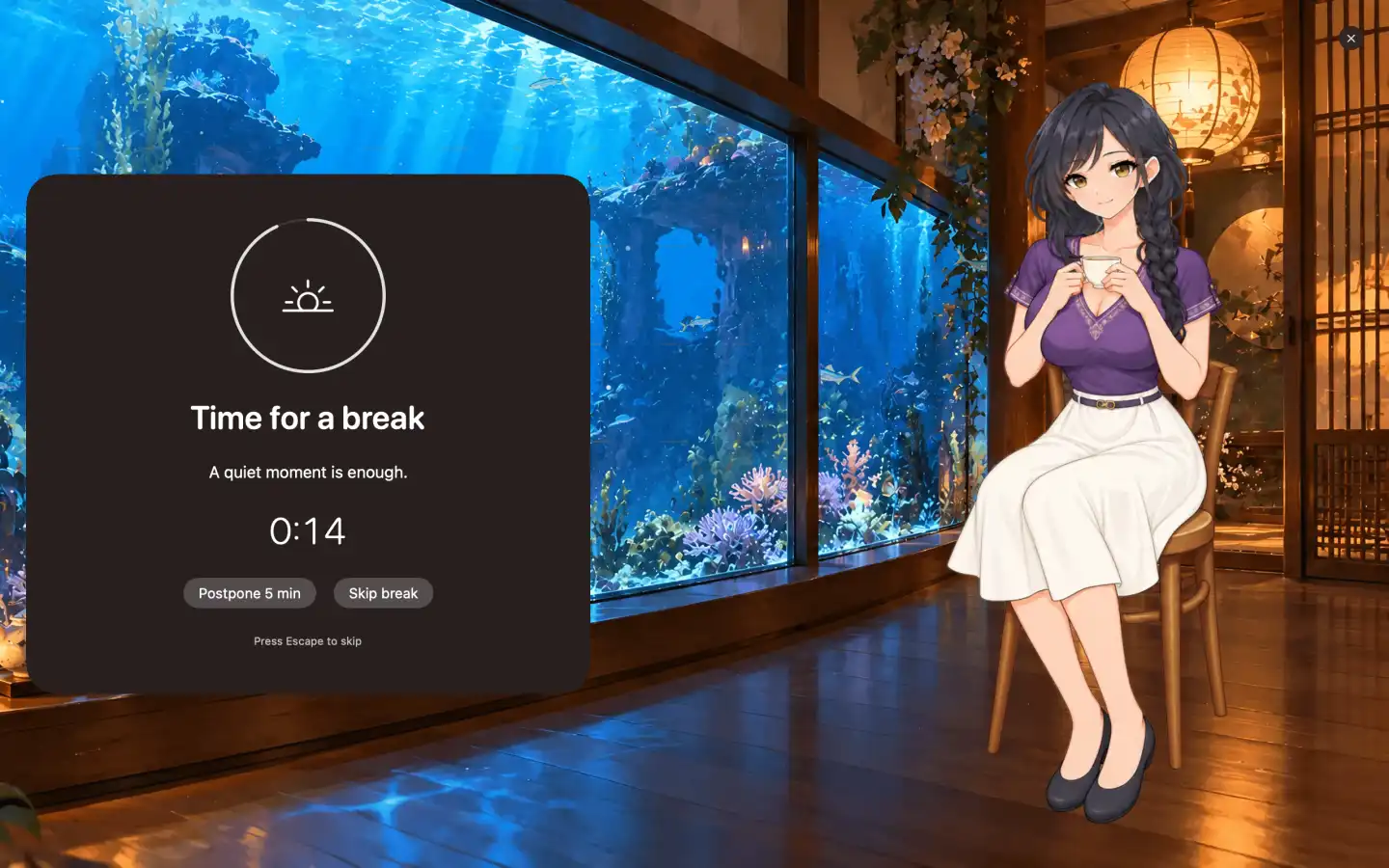
Set a break interval and length, then step away with animated nature scenes, a rainy cafe, a bookshop or an aquarium lounge. Choose an optional companion, skip or postpone a break, and share your completed-break summary. Movie mode pauses reminders while you watch. Preview a theme before starting and choose the fade-in for real breaks.
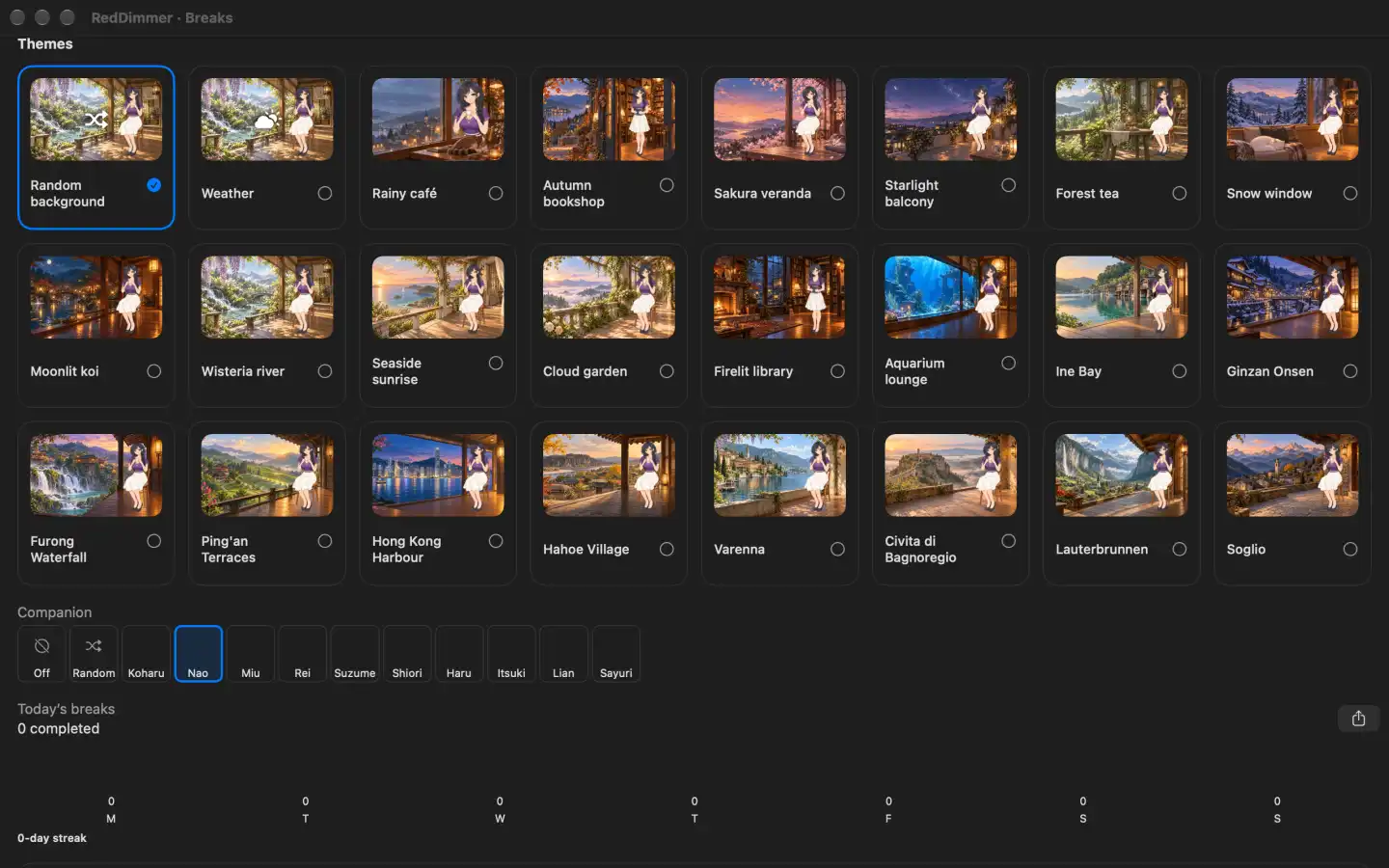
When it is time to rest your eyes, an animated scene fills every screen: a rainy cafe, a moonlit koi pond, an aquarium lounge and more, with an optional companion. Skip or postpone whenever you need to.
Spotlight dims the area around your active window. Switch between Sun, UV and Combo charts, place a chart on the desktop or above other windows, and add a desktop widget. Keep the forecast, outdoor-time log and morning reminder beside your display routine. Forecasts use MET Norway data.
The screen that felt comfortable during the day can seem bright once the room gets darker. RedDimmer lets you adjust brightness and warmth separately, so you can change the part that bothers you.
If you're reading late or your MacBook still looks too bright at its lowest setting, software dimming gives you another adjustment. Your files, browser theme and everyday apps stay as they are.
Software dimming reduces displayed brightness down to 10%. You can use it when your Mac's hardware brightness control is already low and the image still looks too bright. That percentage describes the app setting, not a measured light level.
Start with a little warmth, use amber for evening reading, or try a deep red tint. You can adjust brightness separately, so choosing a warmer colour doesn't leave you with a brighter screen than you want.
Customise the Day, Evening and Night presets with settings you want to use again. Schedule them for sunset and sunrise or choose fixed times. When you need normal colours, pause the filter and return to your saved settings afterwards.
Settings for each display. A laptop screen and an external monitor may need different adjustments. Set connected displays individually and use app exceptions for work that needs original colours. Support depends on your Mac, monitor and macOS version.
Controls within reach. Reach brightness and warmth from the menu bar, configure app shortcuts and choose whether RedDimmer opens at login. Restore Colours returns normal output. There's no account or subscription to manage.
Light carries information about the time of day as well as helping you see. Melanopsin, a light-sensitive pigment, is especially responsive around 480 nanometres, in the blue part of the visible spectrum, before the eye's optical filtering is taken into account. Brown et al., 2022 ↗
For evening light, brightness, colour and timing all affect the exposure. A warmer, dimmer screen gives you one thing to adjust. The room lighting, time spent on screen and time you finish using it also matter.
Research-informed recommendations for healthy adults call for brighter days and much lower body-clock-effective light in the hours before sleep. These figures describe light reaching the eye, measured as melanopic equivalent daylight illuminance. They cannot be read as percentages on a screen slider. Read the recommendations ↗
Adjust the screen for the room you are in. Choose the warmth and dimming that suit your evening. Lower room lighting and time away from screens before bed are other parts of the routine to consider.
These studies help explain light exposure and screen habits. Each used its own lighting or screen-use conditions. None tested RedDimmer.
In this experiment, people took longer to fall asleep and showed later body-clock timing after reading a light-emitting e-reader before bed than after reading a printed book. The findings support considering evening light exposure. They don't establish a sleep benefit for a particular filter app.
Chang et al. · PNAS ↗A trial of 167 young adults found no overall sleep differences between iPhone use with Night Shift, use without it, and no phone use. A warmer colour setting is an adjustment you can make, but it is not a guaranteed way to improve sleep.
Duraccio et al. · Sleep Health ↗A review of 45 studies linked longer screen time with myopia, mostly in children and young people. An association does not prove cause. These findings do not show that blue light causes myopia or that a red screen filter prevents it.
Ha et al. · JAMA Network Open ↗A Cochrane review of 17 trials found that blue-light-filtering spectacle lenses may not reduce short-term computer eye strain. Sleep findings were uncertain. The trials studied glasses, not RedDimmer. The app gives you control of your screen's appearance; these findings do not establish a treatment benefit.
Singh et al. · Cochrane ↗A screen setting that suits your evening.
Adjust warmth and brightness to your preference. RedDimmer is free.
A Mac screen dimmer changes how bright the displayed image looks through software. RedDimmer can make it look darker than the hardware brightness setting alone. Its separate warmth slider reduces green and blue colour-channel output relative to red. Your documents and the colours stored in image files don't change.
RedDimmer combines software dimming down to 10% with warm-to-red colour, editable presets, schedules, pauses and individual-display controls. Per-app profiles can apply saved settings, or pause redness while keeping dimming. All are available from the menu bar. Use one colour controller at a time if overlapping adjustments make the result unpredictable.
The American Academy of Ophthalmology says there is no scientific evidence that blue light from digital devices damages the eyes. Discomfort after a long screen session is a separate issue. Regular breaks, blinking and a suitable screen setup can help with everyday use. RedDimmer is a display-preference tool, not an eye treatment. Read the Academy's explanation ↗
RedDimmer has not been clinically tested for either outcome. Screen-time studies do not show that a colour filter prevents myopia. Evening light research supports considering timing, brightness and colour together, but a warmer screen doesn't guarantee better sleep. Choose settings for the appearance you prefer and consider your screen habits too.
This names the app's pure-red setting; it is not a physical colour temperature. "6500 K" to "0 K" is the app's warmth scale. RedDimmer neither measures your monitor's spectrum nor makes it a calibrated, single-wavelength light source.
RedDimmer requires macOS 14 or later on Apple silicon. Set warmth and software brightness for each connected display. Colour support depends on your Mac, display and macOS version. If a display doesn't respond, choose OFF or Restore Colours and contact support for help.
The tint usually changes the display's appearance rather than the screenshot file. Very low brightness and some recording or sharing tools can produce different captures. Check a sample before presenting or screen sharing. Choose OFF when you need normal colours and brightness.
Yes. RedDimmer is free, with no account or subscription. The Mac App Store release is being prepared, and we'll add a download link here when it is available.
Compare RedDimmer with colour filters and monitor-control apps. Match the features to your setup, including the situations where another app may suit you better.
Best screen dimmers for Mac: our ranking →Automatic colour routines
Advanced colour preferencesAdvanced colour preferences
Open-source screen dimmingOpen-source colour and dimming
External-monitor automationExternal-monitor automation
Free monitor brightness controlsFree external-monitor control
Broader display toolsDisplay scaling and advanced tools
The built-in Mac optionBuilt-in warmer colours
RedDimmer is free and requires no account or subscription. We're preparing the Mac App Store release. The download link will appear here when it is available.
SupportMac App Store release in preparation · macOS 14+ · Apple silicon